Install the SpinSaga app
Get fast access to SpinSaga from iOS or Android. It installs straight from your browser in seconds and takes almost no space on your device.
Lightning fast
Launches straight from your home screen in its own window, with no browser bars and no App Store download.
Exclusive promotions
Get to app-only bonuses and promotions in a couple of taps, without hunting through the site.
Always up to date
The app updates itself in the background, so you always have the latest games and features with nothing to reinstall.
How to install
Pick your device and follow the steps below.
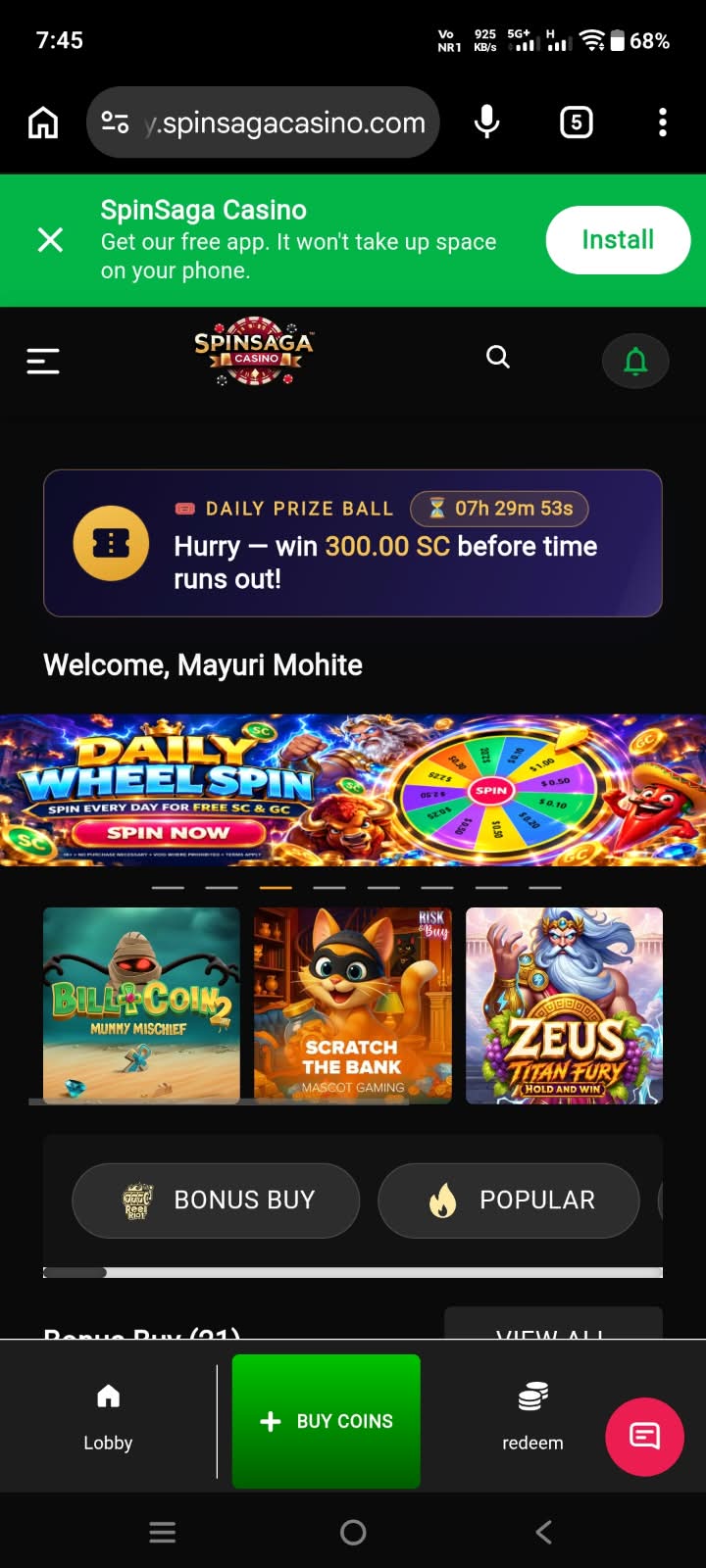
Tap Install
Tap 'Install' on the green SpinSaga banner at the top of the page.
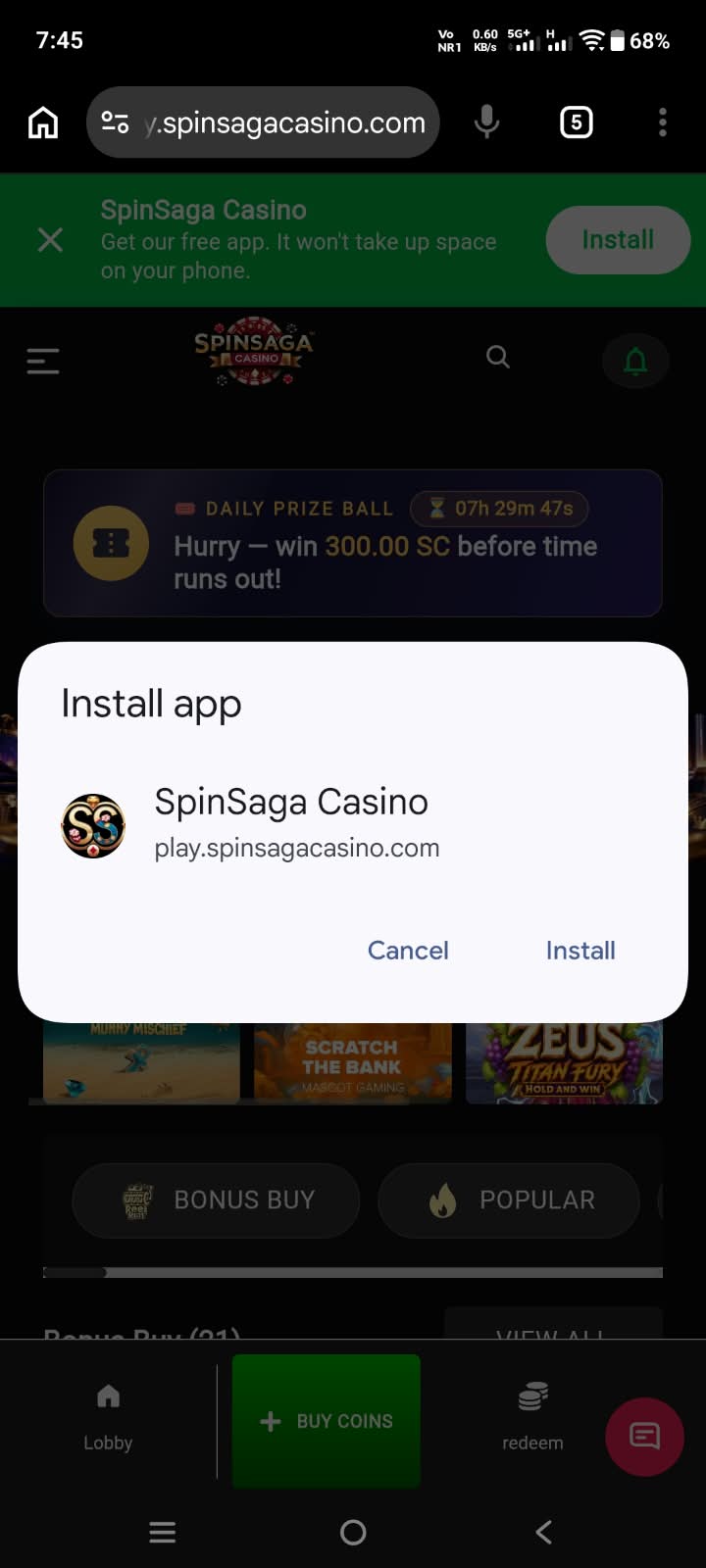
Confirm
Chrome asks you to confirm — tap 'Install'.
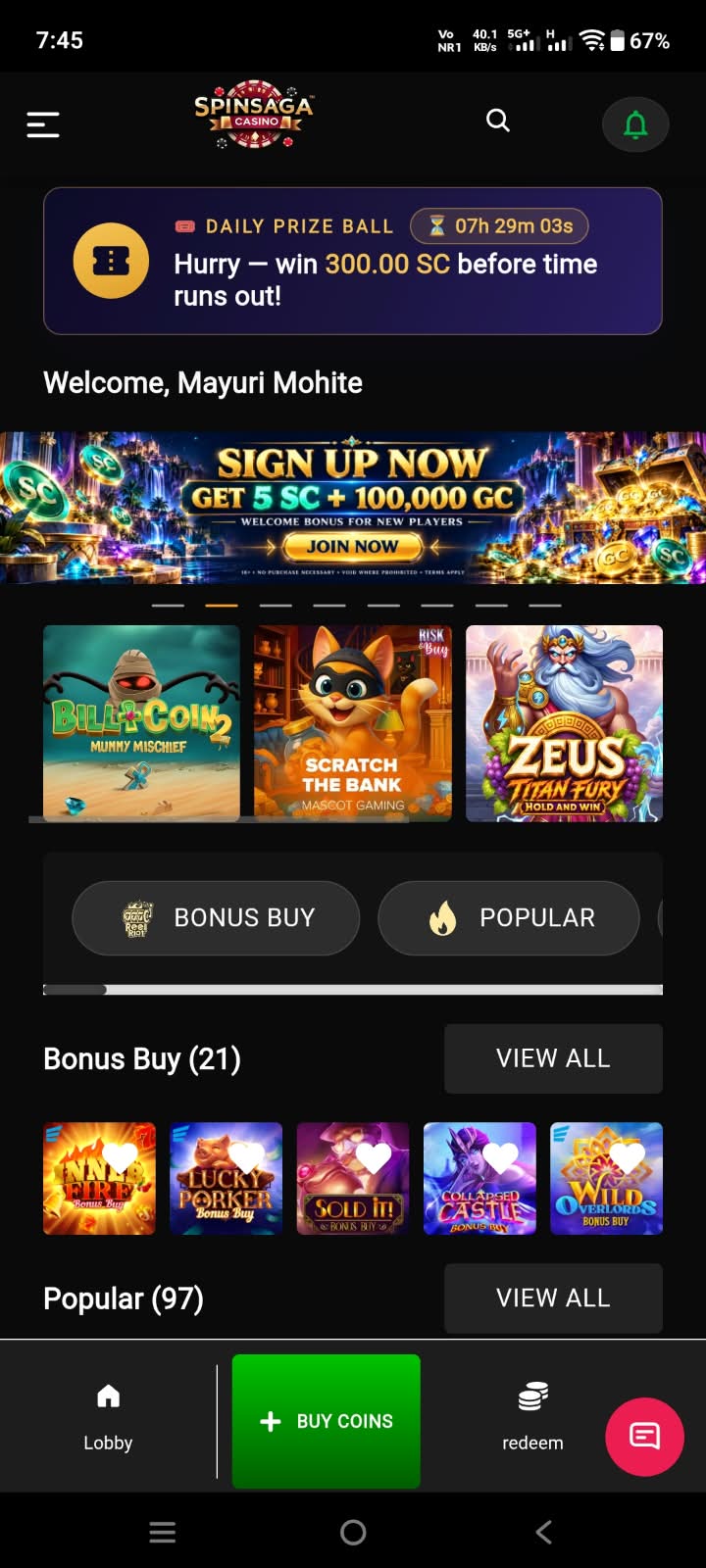
Open the app
Open SpinSaga from your home screen and start playing.
Android
Chrome — one tap
play.spinsagacasino.com
Tap the green 'Install app' button at the top of this page.
Chrome asks you to confirm — tap 'Install'. That's it, the app is on your home screen.
Not seeing the button? Open Chrome's menu at the right of the address bar and choose 'Install app' instead.
What is the SpinSaga PWA app?
PWA stands for progressive web app — a website that installs and behaves like a normal mobile app. Instead of downloading it from the App Store or Google Play, you add it to your home screen straight from your browser in a few seconds. You get an icon like any other app, but there is no store account, no long download, and no waiting for approval of updates.
How does the SpinSaga PWA work?
Once installed, SpinSaga opens full screen in its own window, without the browser address bar. You stay signed in, so you can go straight to the lobby, buy coins, and play with your Gold or Saga Coins in a couple of taps.
Does it take up space on my device?
Almost none. The app loads from the web, so there is no large download and nothing to update manually — you always get the latest version of the games and features automatically.